Report app for Swiss trade businesses
Your team records hours, materials and photos where the work happens — on the phone, without slips of paper. In the office the report is ready the same day: for approval, as a PDF and for payroll.
From the site to the office in three steps
Record
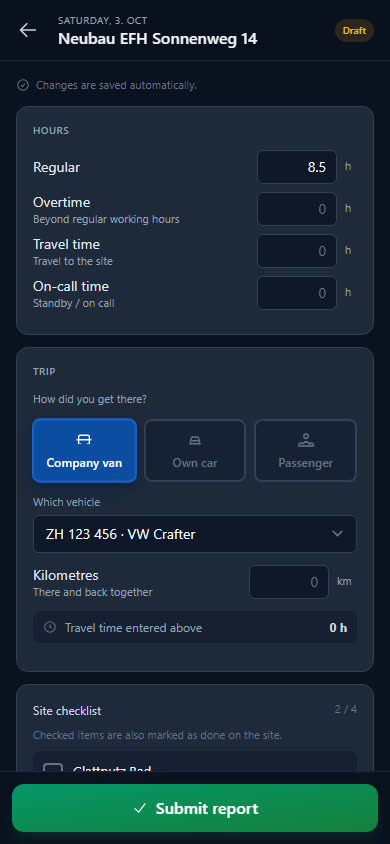
Hours split into regular, overtime, travel time and on-call, plus materials, photos and what was done — typed or dictated.
Submit
One tap and the report is in the office. After that, only a supervisor can change it — with a reason.
Approve and pass on
The office approves it, if that is how you want to work. The report is available as a PDF, the hours as Excel or CSV for payroll — or straight away as a time-and-materials invoice.
The report your team actually fills in
Choose the site and the day, enter the hours, done. One report per person, site and day — clear for the employee and for the office.
-
Hours neatly separated
Regular, overtime, travel time and on-call in quarter hours. If you only need regular hours, you set that for the whole company.
-
Dictate instead of typing
The employee speaks what was done into the phone — in German, French, Italian or English. The phone's voice input writes it down.
-
Materials and photos right there
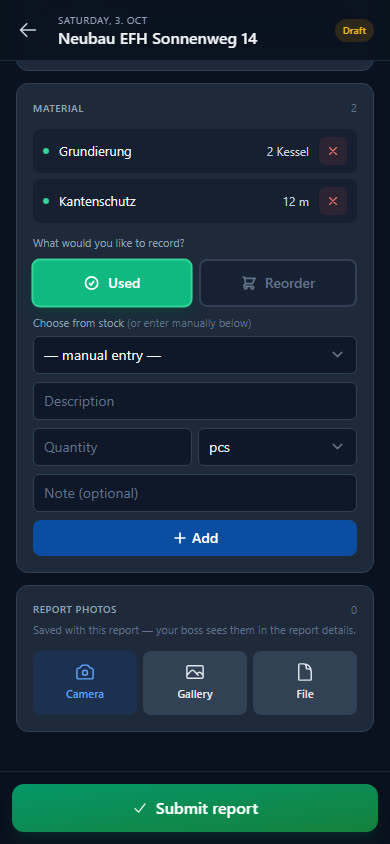
Choose used materials from stock or type them in freely, add photos from the camera or gallery. If something is missing, the employee reports it straight away for reordering.
-
No app store, works with poor reception too
Baurapport runs in the browser and sits on the home screen like an app. If reception drops, entries stay on the device and are sent as soon as there is signal again.
Approve, analyse, pass on
Every submitted report reaches the office immediately. The hours grid shows at a glance what is still missing.
-
Approval in one or two steps
You decide whether reports are approved — directly by the office or first by the department head. Whole weeks at once from the grid.
-
Corrections with a trail
After submission, only a supervisor can make changes, with a reason. Every change remains visible in the history.
-
Hours for payroll
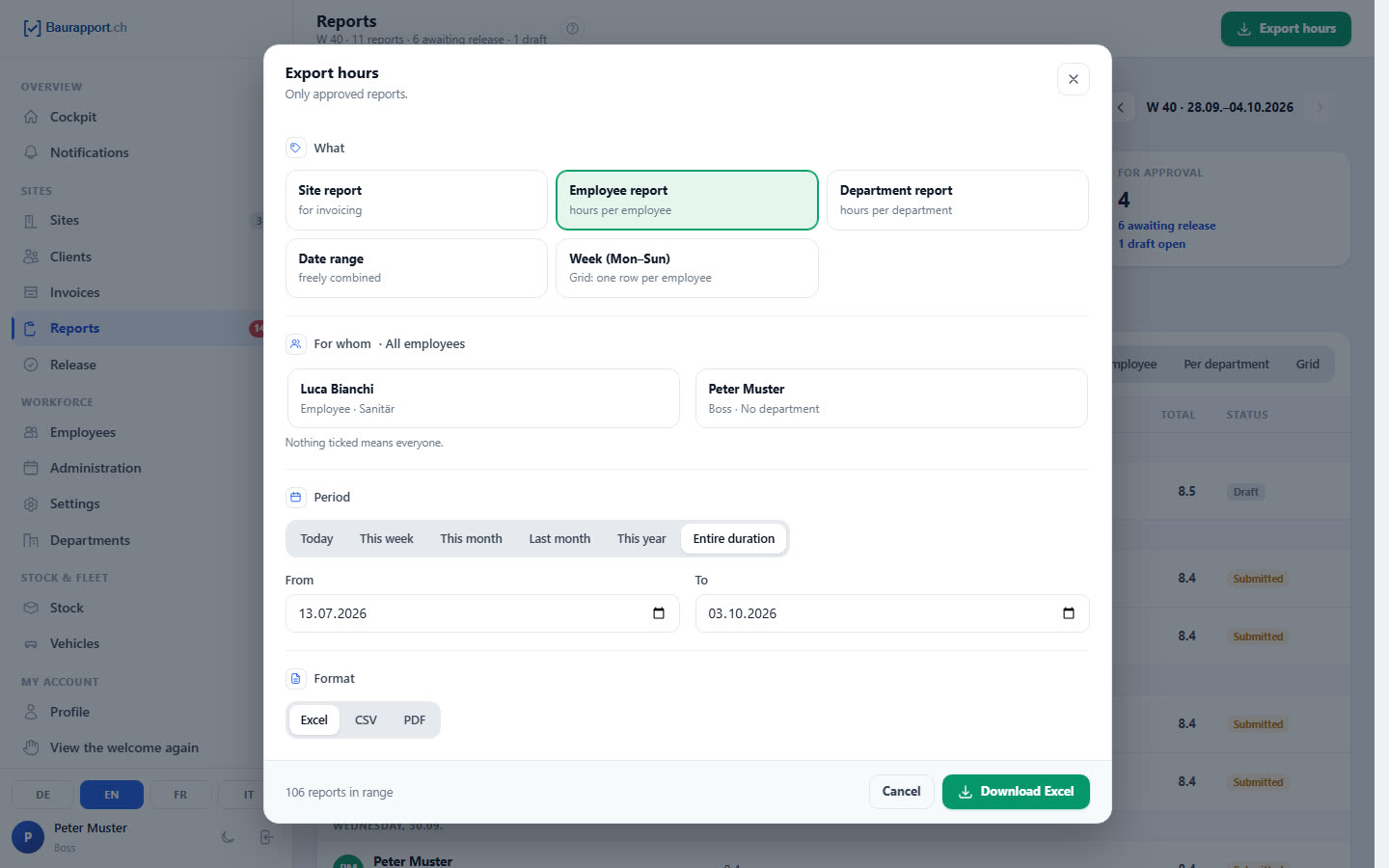
By period, employee, site or department as Excel, CSV or PDF — for your accountant or your own payroll.
-
A PDF for each report
With your logo, hours, materials, text and photos. For filing or for forwarding to the client.
Everything about the site in one place
The report belongs to the site — and that is where everything else your team needs on site is kept too.
-
Plans and documents
PDF, images, DWG/DXF and Office files per site, always at hand on the phone.
-
Photos in one place
All report photos of a site in one gallery — instead of scattered across private phones.
-
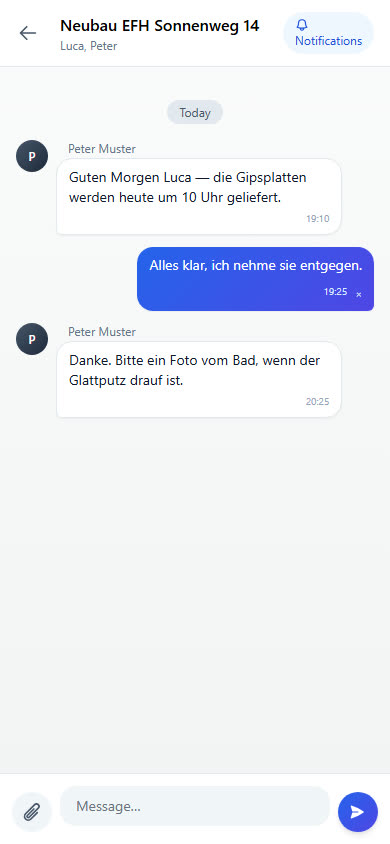
Chat per site
Questions, photos and arrangements where they belong. Employees only see the sites they are assigned to.
-
Checklist in the report
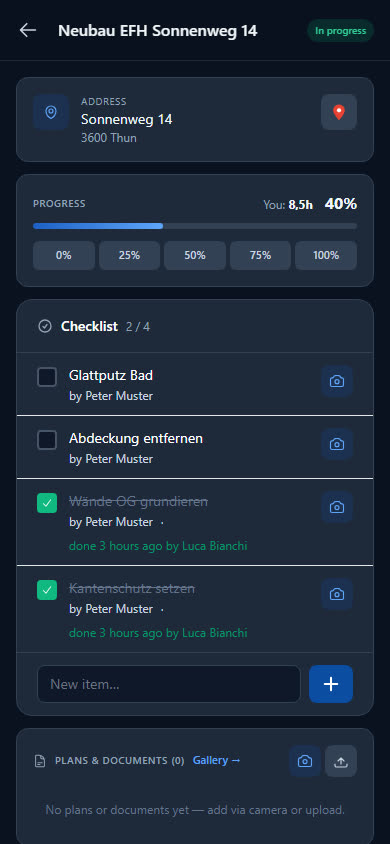
The employee ticks off what needs doing on the site directly in the report.
What businesses want to know first
Do my employees need an app from the app store?
No. Baurapport runs in the browser and can be added to the home screen like an app on iPhone and Android. Each employee gets their own account by invitation.
What happens if there is no reception on site?
Entries are not lost: the app saves them on the device and sends them as soon as there is reception again. Pages that were open beforehand remain readable.
Can the client sign the report in the app?
No, there is no signature in the app. Every report is available as a PDF that you can forward to the client. If you need a signature on paper, use the free site report template.
Who can see and change reports?
Every employee sees their own reports. After submission, only the boss, the office or the department head can change them — with a reason, and the change remains in the history.
How do the hours get into payroll?
As an export by period and employee, as Excel, CSV or PDF — for your accountant or your payroll software. There is no direct interface to payroll software.
What does the report app cost?
Reports, time tracking, stock, vehicles and invoices are included in every plan; the price depends on the number of users. The prices are published openly, and you can try it free for 14 days.
Ready to go digital?
Try it free for 14 days — with your own team and your own sites. Then you decide.