Report app for insulators
What was insulated today will be clad tomorrow. That is why your team records area, thickness, insulation material and vapour barrier in the report — with photos, while there is still something to see.
Four fields, three with a hint
With the profile «Insulation installer / Insulation», three of the four fields have a short hint underneath saying what is meant. That way everyone in the team fills them in the same way.
The hint in the field asks: «How many m² insulated today?»
The thickness of insulation installed, in centimetres.
Entered freely — the hint mentions rock wool, glass wool or PU.
A tick for the layer nobody will see once it is clad.
Documented before it disappears
In the end, insulation and membrane are hidden behind boards. The report records what was installed — and the photos show it.
-
Photos before cladding
The employee photographs taped joints and connections directly in the report. If questions come up later, the photo is often the only proof.
-
Materials in square metres
Rock wool, glass wool and vapour barrier membrane are set up in m² in the starter pack. In the report the employee chooses them from stock and enters the quantity.
-
Protective equipment assigned
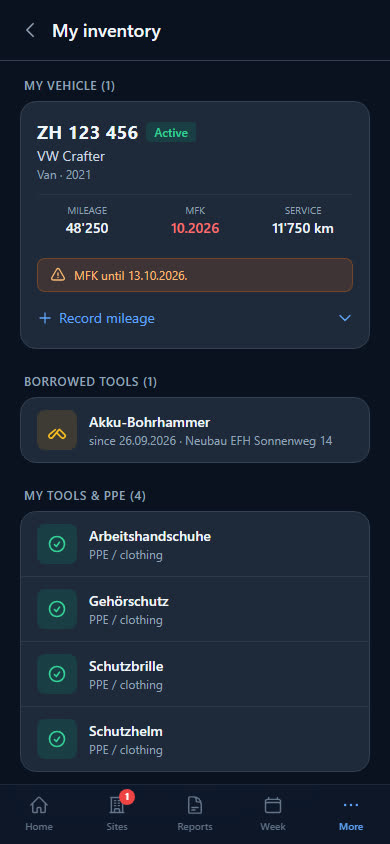
You keep FFP3 respirator masks and protective suits as PPE in stock and assign them to a person. In the app, everyone sees under «My inventory» what they have.
-
Details and data sheets at hand
You store detail drawings and data sheets on the site — as PDF, image or DWG. On the phone they are at hand on site.
Insulation, membrane and protection
Nine items for insulators: two insulation materials and the vapour barrier membrane in m², tape, insulation knife and stapler, plus FFP3 respirator, protective suit and safety glasses. The membrane starts with a minimum stock of 100 m².
- Rock wool 100mm
- Glass wool 80mm
- Vapour barrier PE membrane
- Vapour barrier tape
- Insulation knife
- Stapler
- Respirator mask FFP3
- Protective suit type 5/6
Checklist per site
What needs doing on site is listed as a checklist on the site — your workers tick it off in the report. For example:
- Insulation butted without gaps
- Vapour barrier taped, connections sealed
- Photos taken before cladding
- Offcuts disposed of
Examples — you set the items yourself.
What businesses want to know first
Can I record whether the vapour barrier is installed?
Yes, as a yes/no field under «Daily output». In addition there are the photos in the same report — from the phone's camera or gallery.
How does everyone in the team fill in the fields the same way?
Under insulated area, insulation thickness and insulation material, the report shows a short hint, such as «e.g. rock wool, glass wool, PU». The app does not save nonsensical values such as a negative thickness.
Does Baurapport calculate insulation values?
No. Insulation material, thickness and area are details in the report, as the employee enters them — nothing is calculated from them.
We also do roofing — can we do both?
Yes. Add Roofer as a second trade under Company. For each site you then choose whether the report starts with the insulation fields or the roofing fields; old reports stay as they are.
Right for your business
Report app
Hours, materials and photos from the phone — in the office the same day, as a PDF and for payroll.
Stock and tools
Stock per storage location and vehicle, tool lending, reordering from the report.
Roofer
Roof area, tiles, penetrations and the day's weather — for roofing, sheet metal work and facades.
Ready to go digital?
Try it free for 14 days — with your own team and your own sites. Then you decide.