Time tracking for trade businesses
The hours come from the report your team writes anyway — per site and day. From this, Baurapport calculates overtime, holidays and the monthly statement for the accountant.
Record once, use three times
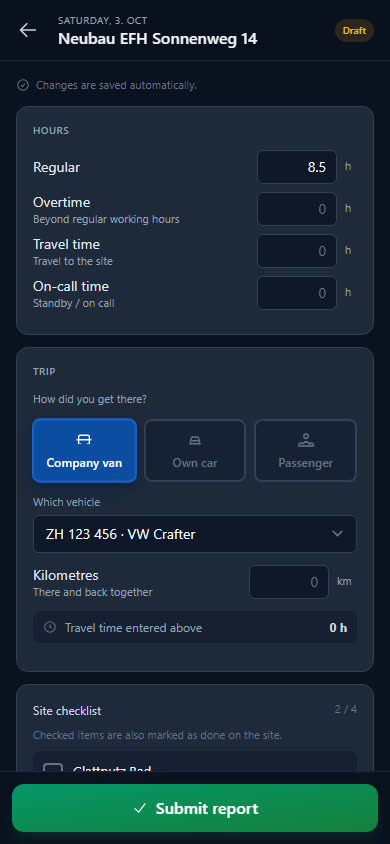
Hours in the report
Per site and day: regular, overtime, travel time, on-call. Workshop and office time goes on the «Internal» site.
The account keeps count
Measured against the target from employment rate, public holidays and approved absences, the running balance builds up — week by week.
Statement for payroll
Monthly statement and hours per employee as Excel, CSV or PDF — for the accountant or payroll.
Record hours where they happen
No second form: working time is in the site's daily report — and so it counts for payroll and for the invoice alike.
-
Four types kept separate
Regular hours, overtime, travel time and on-call in quarter hours — just as you account for them.
-
Internal hours
Everyone books workshop, stock or office time to the «Internal» site. These hours count in the balance just like hours at a client's.
-
Add reports up to 60 days later
Forgot? A report can be added up to 60 days back.
-
Your own hours at a glance
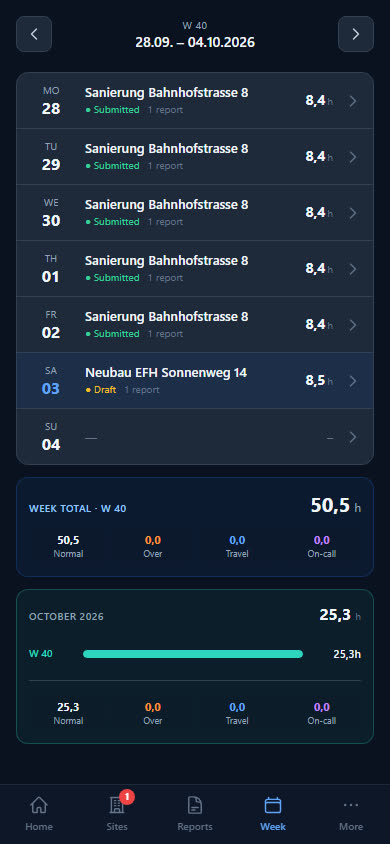
In the app, every employee sees their hours per day, week and month — and under «Absences» their balance and remaining holiday days.
Overtime and holidays that calculate themselves
The target results from employment rate, public holidays and approved absences. Whatever is above or below it, Baurapport keeps as a running account.
-
Running balance
Submitted hours minus target, carried forward over weeks and months. Compensation reduces it again.
-
Holiday account
Entitlement per person and year, pro rata by employment rate. Whatever is left over is carried over into the new year.
-
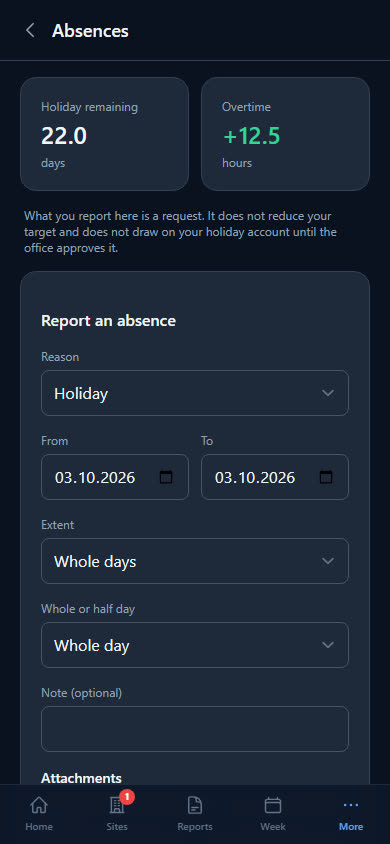
Absences with approval
Holidays, sickness, accident, military service and more — reported from the phone, approved or rejected in the office. Add the medical certificate as a photo right away.
-
Public holidays by canton
A suggestion for each of the 26 cantons, which you confirm once a year.
The month for the accountant, done
What the accountant needs for payroll is available at the push of a button — per person, per month or for the whole year.
-
Monthly statement
Target, hours worked, paid absences, compensation and difference per person — as Excel, CSV or PDF.
-
Hours per employee
All hours by type and total for any period you choose, with the absences alongside.
-
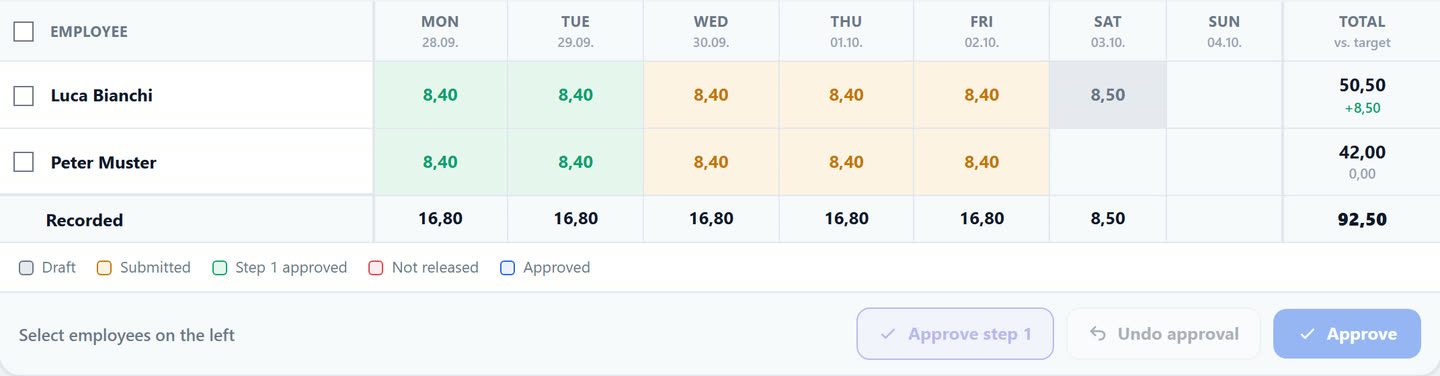
Hours grid
Who worked how much and when — by day, week, month or year. Missing reports stand out immediately.
-
Per site and department
The same hours analysed by site or department — for job costing.
What businesses want to know first
Does Baurapport record start, end and breaks?
No. Baurapport records the hours worked per day and site, split into regular, overtime, travel time and on-call. There is no time clock with clock-in and clock-out times. What your business has to record is governed by the Labour Act and the collective labour agreement — the responsibility for this remains with the business.
Can the employee see their overtime account?
Yes. In the app under «Absences» they see their balance and remaining holiday days. The weekly overview shows their hours per day, week and month.
How do holiday requests work?
The employee reports holidays or an absence in the app — whole or half days, or by the hour. The office or the department head approves or rejects; only approved days count.
Can we record workshop and office time?
Yes, via the «Internal» site. Anyone can book time there without being assigned; the hours count towards the balance.
How do the hours get to the accountant?
As a monthly statement or hours list per employee, as Excel, CSV or PDF. There is no direct interface to payroll software.
Is time tracking included in every plan?
Yes. All plans include all features; the price depends on the number of users.
Ready to go digital?
Try it free for 14 days — with your own team and your own sites. Then you decide.