Features of the report and construction site app
Your complete construction-site office — from the address to the invoice.
Baurapport in action
Setting up a site, report on the phone, approval and invoice — a real workflow in a sample company.
Every feature on its own page
How it works, what it does — and what it doesn't. With pictures from the app and the most common questions.
Report app
Hours, materials and photos from the phone — in the office the same day, as a PDF and for payroll.
Time tracking
Hours per site, overtime and holiday account, monthly statement for the accountant.
Invoices
Time-and-materials invoice from the reports, Swiss QR-bill as PDF, payments and reminder levels.
Stock and tools
Stock per storage location and vehicle, tool lending, reordering from the report.
Vehicles
Service, MFK and insurance with reminders, mileage and assignment.
Now the office is included too
Write invoices, approve holidays, track overtime, assign permissions — right where the hours already are.
Invoices with QR
From the reports to the time-and-materials invoice — hours and materials carried over.
Holidays, absences & overtime
Report from the phone, approve with one click, accounts calculate themselves.
Team & permissions
Roles, departments and, for each role individually, who may do what.
From report to invoice — without retyping
The hours are already in the reports. Baurapport turns them into the time-and-materials invoice for the client — with a Swiss QR payment slip.
-
Hours and materials carried over
Work, travel time and stock materials come straight from the site's reports. No hour is billed twice.
-
QR invoice with your logo
As a PDF, in German, French, Italian or English — with a report appendix for the client if you wish.
-
Send from your mail program
One click opens the finished email to the client, PDF already attached. You send it — from your own address.
-
Outstanding items at a glance
Record partial payments, see overdue invoices, payment reminder and two formal reminder levels as ready-made templates.
Payable by 31.10.2026
| Item | CHF |
|---|---|
| Work · 32.0 h à 95.00 | 3'040.00 |
| Travel time · 4.0 h à 95.00 | 380.00 |
| Plasterboard 12.5 mm · 24 Stk | 1'104.00 |
| VAT 8.1 % | 366.44 |
| Total | 4'890.44 |
Reference 21 00000 00003 13947 14300 09017
Amount CHF 4'890.44
Holidays, absences and overtime — without an Excel list
The employee reports from the phone, the office approves with one click. Holiday account and overtime calculate themselves from the reports.
-
Report straight from the phone
Holidays, sickness, medical appointment, military service and more — whole or half days, or by the hour. Add the medical certificate as a photo right away.
-
Approve with one click
The department head for their team or the office for everyone. Only approved days count — a request does not change any account yet.
-
A holiday account that calculates itself
Entitlement per person, pro rata by employment rate and start date — in days or hours. The remainder carries over into the new year. Public holidays according to your canton.
-
Overtime as a running account
Calculated from the reports, carried forward over weeks and months. Monthly statement for the accountant as Excel, CSV or PDF.
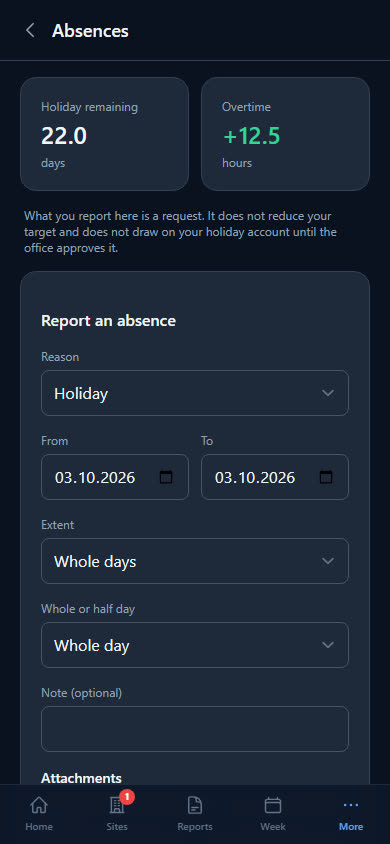
Holiday days left
Overtime, running balance
Your team — with clear permissions
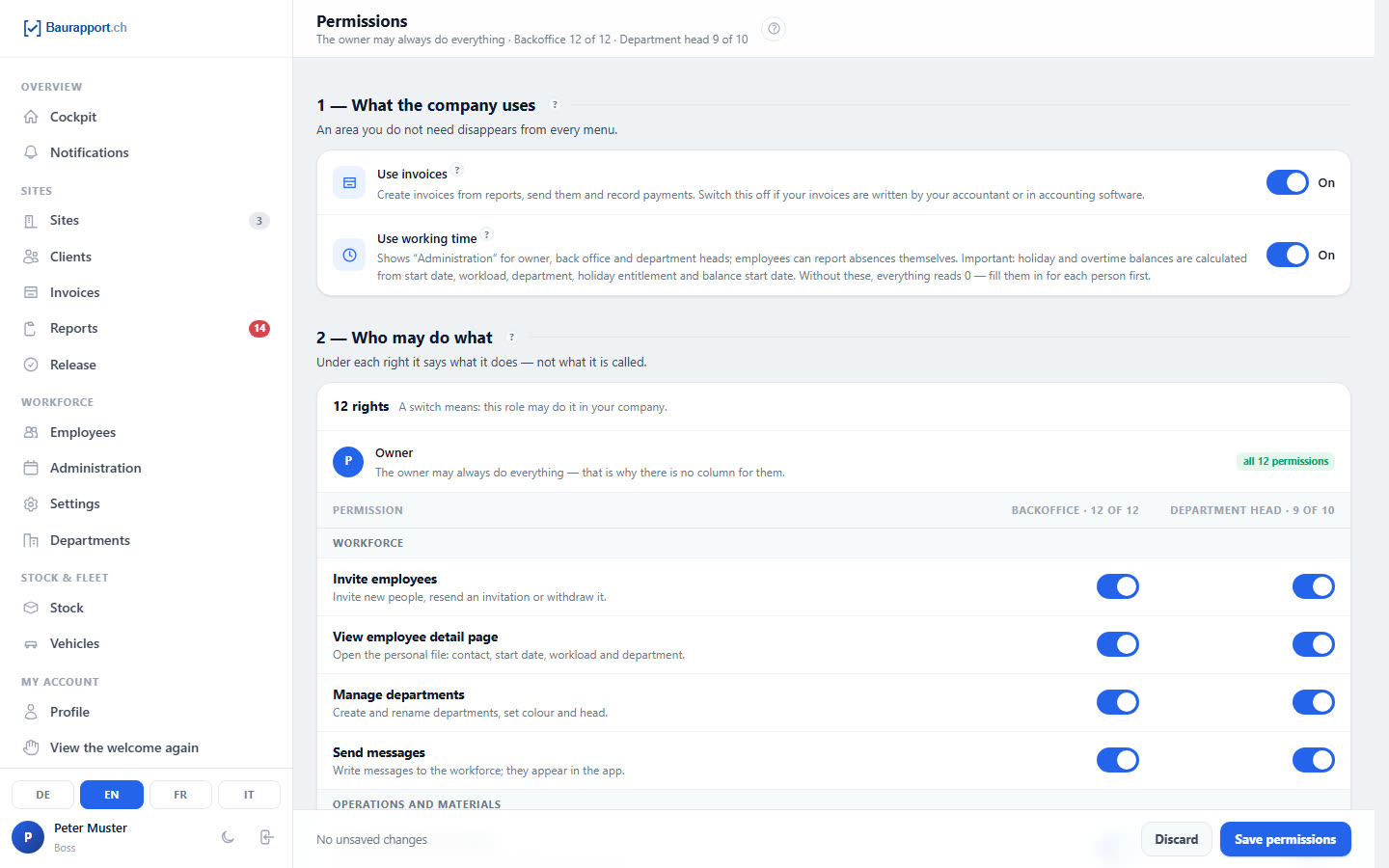
Invite, assign roles, set up departments. And define per role who may do what — from the stock to approving holidays.
-
Invite by email or CSV list
Add role, department and employment rate right away. The employee installs the app with a link.
-
Four roles, permissions switchable individually
Boss, Back office, Department head, Employee. One switch per permission and role — the boss can always do everything.
-
Personnel record in one place
Contact, address, emergency contact, employment rate. Only the boss sees the social security number.
-
Departments with their own head
The head sees their department and approves its hours — in two steps if you wish: first the department head, then the boss.
What the worker does on site
Report filled in, hours entered, photo uploaded — all in 2 minutes.
-
Daily report
Hours, material, photos and notes — straight from the site.
-
Weekly overview
Own hours per day, split by type.
-
Dictate reports instead of typing
On the jobsite, just speak your report — the text appears live on your phone. Especially with a lot of text, this saves noticeable time every day.
Back office — everything in hand
Back office at the PC: full overview — whether you're the boss or running your admin team through the day.
-
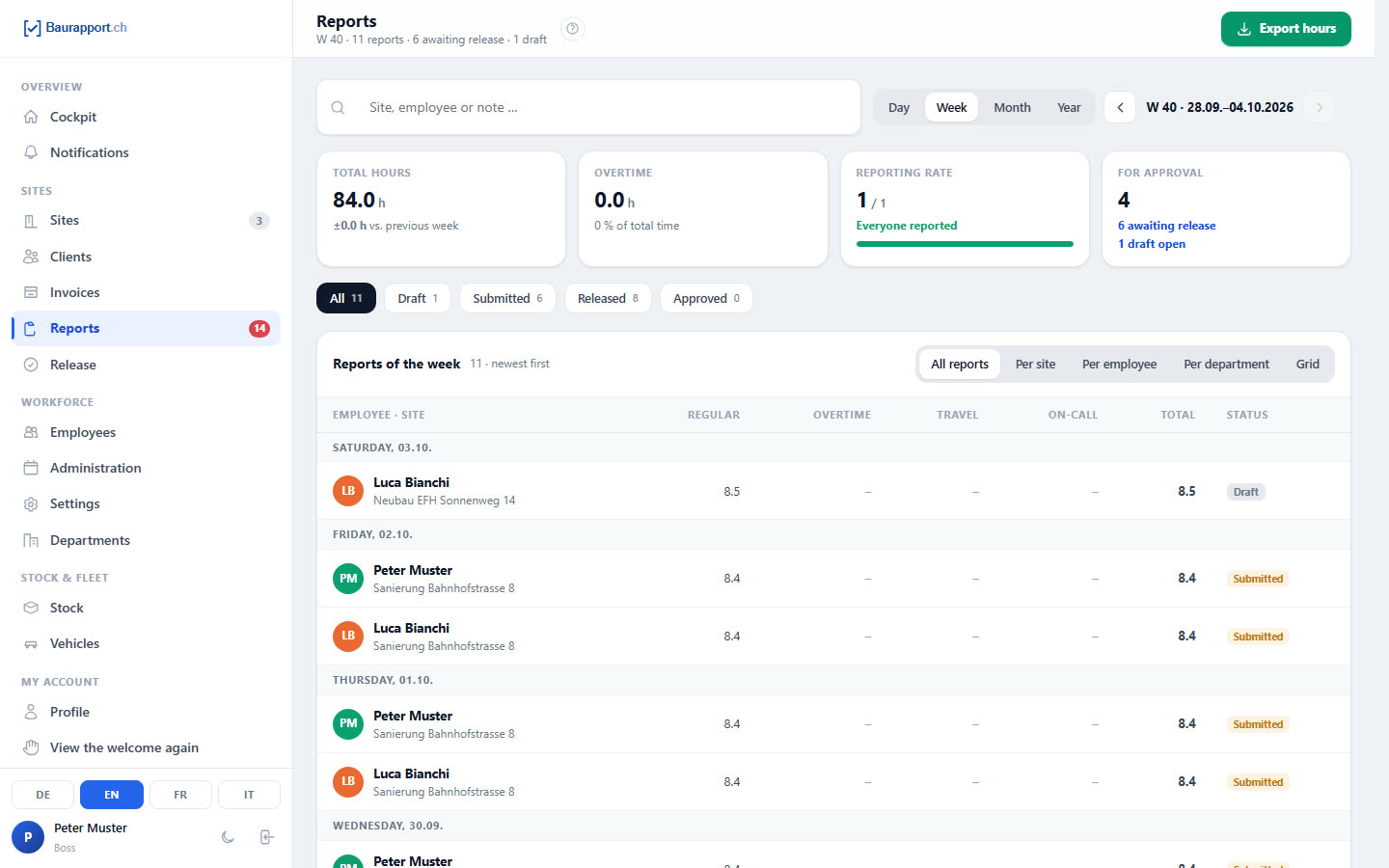
Approve reports with one click
Review submitted reports in the browser, approve them one by one or in bulk — corrections require a reason, logged with name and time.
-
Messages to everyone in seconds
Push notification to individual workers, whole departments or the whole company — straight from the browser.
-
Exports for payroll and accounting
Hours per site, per employee or per week — as Excel, CSV or PDF. With absences in their own columns.
The complete range of features
Included in every plan — no feature hidden behind a higher plan.
Construction site
-
Site management
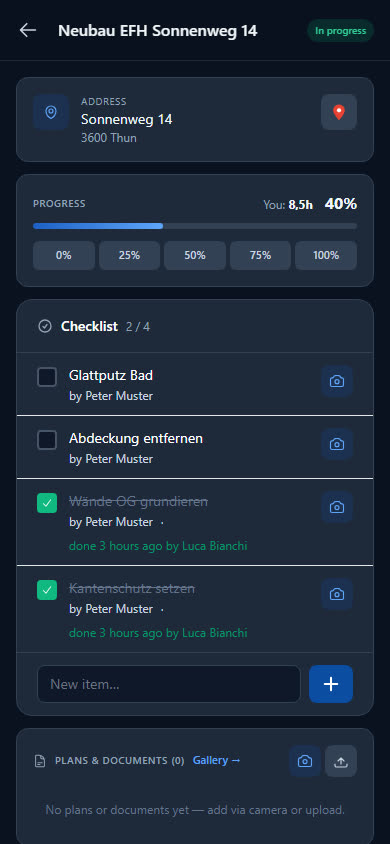
Address, client, period and status of every site — with team assignment and progress in percent.
-
Plans & documents
Upload PDFs, wiring diagrams, photos and contracts per site. Workers have access everywhere (also offline once loaded). Upload from the phone with a file picker.
-
Checklists with photos
Create tasks per site. Worker checks off, optionally with a photo as proof (e.g. before/after a job). The counter always shows how many points are done.
-
Client directory with client file
All clients in one place. The client file shows every site with hours and the latest report — export as Excel or CSV.
-
Site gallery
All photos of a site in one place — automatically combined from report photos, documents and chat attachments. Filter by source.
Reports & time
-
Reports & hours
Hours per day and site — regular, overtime, travel time and on-call kept separate. Plus materials, photos and notes. Submit with one click.
-
Dictate reports instead of typing
Voice input right in the report: speak, and the text appears live in the field — in German, French, Italian and English, on iPhone and Android.
-
Daily output per trade
Every trade records what counts for it: m² of insulation, wall area, metres of cable, metres of pipe — only the matching fields appear in the report.
-
Reports made to measure
Hide what your business does not need — checklist, daily output, materials or photos. Regular hours only if you wish, with the daily target prefilled.
-
Weekly grid & approval
All employees in a weekly grid, colours show the status. Approve the whole week with one click — in two steps if you wish.
Office & invoicing
New-
Client invoices with QR
Time-and-materials invoice from a site's reports, items freely added, discount per line or on the total, VAT, rounding to 5 centimes. PDF with QR payment part and logo in four languages.
-
Payments & reminders
Partial payments, outstanding balance, overdue invoices. Payment reminder, first formal reminder and final reminder as ready-made email templates. Invoice list as Excel or CSV.
-
Holidays & absences
Nine reasons from holidays to military service, whole or half days, supporting documents as a photo or PDF. Sickness reasons are visible only to those with the permission — everyone else sees «absent».
-
Overtime account
Running balance from the reports against the target hours — with an opening balance at the start, compensation and a monthly overview per person.
-
Company calendar
Public holidays suggested for your canton, your own days and half days, company shutdowns. Saturday selectable as a working day.
-
Statements for the accountant
Status per person, absence journal, monthly statement and annual overview — as Excel, CSV or PDF.
Communication
-
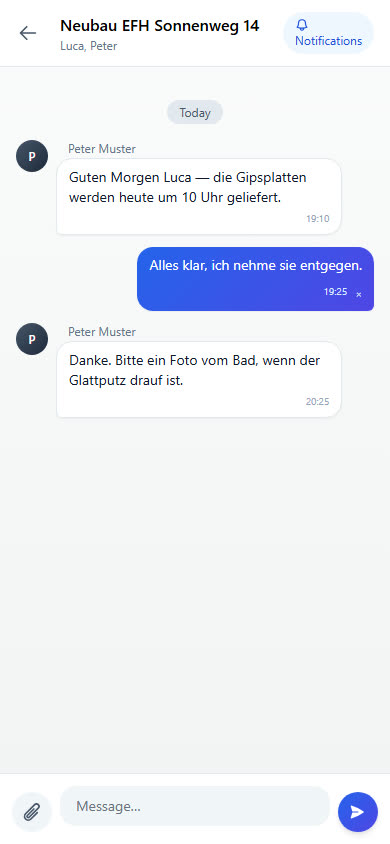
Team chat per site
Post text and photos directly to the site. All assigned workers see it. Replaces WhatsApp groups — no private numbers, everything documented.
-
Announcements & push
The boss writes a notice, all workers get a push alert on the phone. Optional read-receipt. A click opens the message directly.
Warehouse, tools & vehicles
-
Warehouse & material
Materials, tools and protective equipment with minimum stock and storage locations. Materials used in the report are deducted automatically if you wish.
-
Tool lending & PPE
Who has the hammer drill? Lending with history per employee, protective equipment permanently assigned with a replacement interval.
-
Vehicle management
Licence plate, mileage and service history — with reminders for MFK, service and insurance. Every vehicle is also a storage location.
Tech & security
-
PWA & offline
Onto the phone without an app store. Opened pages and plans stay readable without reception, entries in the report are saved on the device.
-
Mobile app
A dedicated phone view for employees and the boss — feels like an app, runs on iPhone and Android.
-
2FA security
Two-factor sign-in with an authenticator app and recovery codes — recommended for every boss.
-
Role management
Boss, Back office, Department head, Employee — plus permissions you can switch individually per role on the permissions page.
-
Departments
Larger businesses are organised into departments, each with its own colour. The department head sees only their department.
Ready to go digital?
Try it free for 14 days — with your own team and your own sites. Then you decide.