Report app for gardening and landscaping
In maintenance work, your team visits several clients in one day. Each garden gets a short report: hours, what was done, how much area and how many plants.
What gets counted in the garden
The «Gardening / Landscaping» profile brings three fields under «Daily output». The main activity is a choice, so that maintenance and new planting can be told apart.
Area mown, planted or landscaped during the visit.
Plants set, as a whole number.
What the visit was mainly about — chosen with one tap.
Four gardens, four short reports
Every client is a site of their own. That way hours and materials stay with the right garden.
-
One report per garden
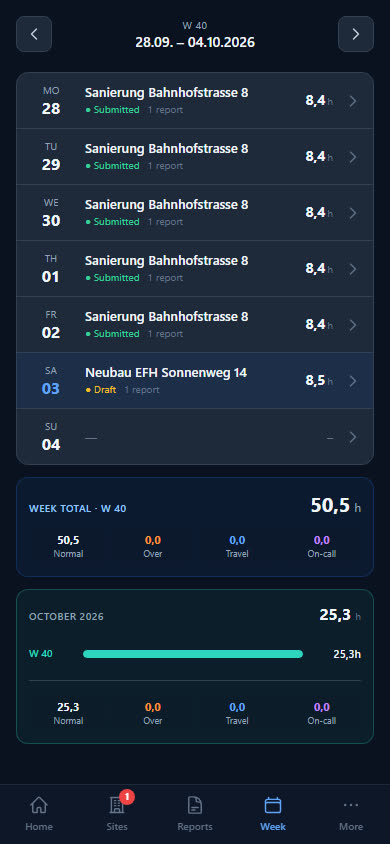
Anyone who visits several clients in a day writes a report for each garden. The hours add up at the end.
-
Trip with kilometres
If the boss switches on the «Trip» block, the employee states what they drove and how many kilometres. They enter the travel time with the hours.
-
Machines with condition
You keep lawnmowers and hedge trimmers as tools and lend them out. On return you record whether they are OK, in repair or defective.
-
Maintenance on time and materials
A garden's reports produce the time-and-materials invoice — hours, travel time, kilometres and materials, as a Swiss QR-bill in PDF.
Soil, seed, machines
Nine items: potting soil, lawn seed and bark mulch as consumables, secateurs, spade, lawnmower and hedge trimmer as tools, plus work gloves and ear defenders. Potting soil and bark mulch each start with a minimum stock of 10 bags.
- Potting soil 70L
- Lawn seed 1kg
- Bark mulch 50L
- Secateurs
- Spade
- Lawnmower
- Hedge trimmer, electric
- Ear defenders
Checklist per site
What needs doing on site is listed as a checklist on the site — your workers tick it off in the report. For example:
- Lawn edges cut
- Green waste removed
- Watering checked
- Plants set according to plan
Examples — you set the items yourself.
What businesses want to know first
We visit several clients a day — how do we report?
With one report per garden. Every client is a site of their own; the employee fills in a short report for each, and the day's hours add up.
Can I record whether we mowed or pruned?
Yes, with the main activity: planting, pruning / cutting, mowing, fertilising, watering, landscaping or maintenance. Exactly what was done goes into the «Work performed» field — typed or dictated.
Can maintenance be billed on time and materials?
Yes. A garden's reports produce the time-and-materials invoice — with the site's hourly rate and the sales price you store on the items in stock.
Does the profile also suit landscaping?
Yes, in the app it is called «Gardening / Landscaping». The main activity «Landscaping» separates new installations from ongoing maintenance.
Ready to go digital?
Try it free for 14 days — with your own team and your own sites. Then you decide.