Report app for joinery and carpentry firms
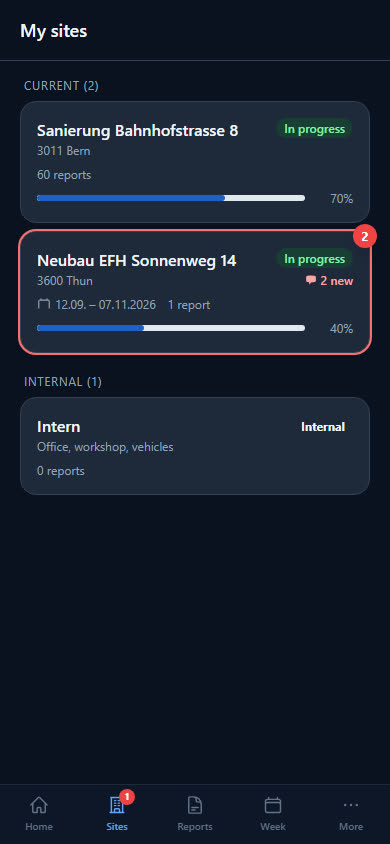
A job first goes through the workshop, then to installation. The report keeps the two apart — and hours without a client job go on the «Internal» site.
Wood, metres and two times
With the «Joiner / Carpenter» profile, there are four fields under «Daily output». Workshop and installation time show the split; for pay and balance, the hours at the top of the report count.
Oak, spruce, three-layer board — entered freely.
Linear metres for the day.
Hours in the workshop for this job.
Hours of installation on site.
From cutting to fitting
Plans, machines and hours belong to the job — in the workshop and at the client's.
-
Workshop without a job: «Internal»
Maintaining machines, tidying the store: everyone books such hours to the «Internal» site, without being assigned. They count towards the balance; daily output and materials are not needed there.
-
Workshop drawings as DWG and PDF
You store workshop drawings on the site — DWG, DXF, PDF or image. The fitter has them on the phone when standing in front of the installation.
-
Machines with history
You lend the jigsaw and cordless drill to a person and take them back with their condition. The history shows who had which machine when.
-
Travel time kept separate
The employee records the drive to the installation as travel time, separate from working hours. What the joinery trade's GAV says about this is explained in the guide Travel time in construction.
Screws, glue, machines
Ten items: wood screws in two sizes, D3 wood glue and sandpaper as consumables, cordless drill, jigsaw, hand plane and clamps as tools, plus respiratory and hearing protection. Anything already in stock is skipped when you take it over.
- Wood screws 4x40
- Wood screws 5x80
- Wood glue D3
- Sandpaper P120
- Cordless drill 18V
- Jigsaw
- Clamp set
- Ear defenders
Checklist per site
What needs doing on site is listed as a checklist on the site — your workers tick it off in the report. For example:
- Dimensions checked on site
- Doors and fronts adjusted
- Silicone joints applied
- Installation area cleaned, packaging taken away
Examples — you set the items yourself.
What businesses want to know first
Can I separate workshop and installation time?
Yes, with two fields in hours. For pay, balance and the time-and-materials invoice, the hours at the top of the report count; the two fields show how they are split between workshop and installation.
Where do workshop hours without a client job go?
On the «Internal» site. Anyone can report there without being assigned, and the hours count towards the balance just like hours at a client's.
Does the profile also suit carpentry firms?
Yes, in the app it is called «Joiner / Carpenter». Wood type and linear metres work for timber framing just as well as for interior fit-out.
Do the fitters have the plans with them on the phone?
Yes. Every site holds plans and documents — PDF, images, DWG/DXF and Office files up to 50 MB per file. When the office uploads something, the assigned employees get a push notification.
Ready to go digital?
Try it free for 14 days — with your own team and your own sites. Then you decide.